


Most prompt lists are useless: they were written for the chatbots of a few years ago. One-line prompts like “write a professional email” produce bland, generic text. Today’s assistants — ChatGPT, Gemini or Claude — work differently. They remember the conversation, read files you hand them, and follow detailed instructions well. That changes what a good prompt looks like.
The prompts that save real time in 2026 follow one pattern: hand over your real material, and name the exact output you want. Every prompt below uses a five-part formula — the job, the material, the reader, the format and length, and one safety line: “ask me first if something important is missing.” That line matters: left to fill gaps alone, an AI invents owners, deadlines and figures that look believable and are wrong.
Copy any prompt, replace the [BRACKETS] with your details, and paste your real material where it says [PASTE]. Check names, numbers and dates before you send anything — these are templates, not magic.

Emails & Messages
1. Follow-up email from call notes — send it while the call is still fresh:
Turn these call notes into a follow-up email to [NAME] at [COMPANY]. Include what we agreed, who owns each next step, and the deadline we mentioned. Friendly and direct, under [150] words. If a name, date or decision is missing, ask me — do not invent it. Notes: [PASTE]
2. The hard customer reply — for complaints, where the first sentence decides everything:
Draft a reply to this customer message. Acknowledge the problem in the first line — no blame, no excuses. State what we will do next, and by when: [WHAT YOU WILL DO + DATE]. If they are still unhappy, offer [A REFUND / A REPLACEMENT / A CALL]. Calm, human tone, under [120] words. Message: [PASTE]
3. Email tone fixer — you wrote it angry; this makes it sendable:
Rewrite this email so it is direct and polite. Remove anything that sounds annoyed or passive-aggressive. Keep every fact, name and date exactly as written. Maximum [120] words. Email: [PASTE]
4. Customer-reply triage — for the Monday-morning inbox, when everything looks urgent and isn’t:
Here are [NUMBER] customer messages. Sort them into Urgent, Normal and Can Wait, with a few words on why for each. Then draft a reply to each Urgent one using only these policies. Flag any message the policies don’t cover instead of guessing. Policies: [PASTE]. Messages: [PASTE]
5. Difficult-message drafter — the message you keep rewriting in your head:
Help me write a message to [PERSON] about [SITUATION]. It must be firm about [WHAT YOU NEED] yet keep the relationship friendly. Give me two versions: one short, one detailed. Neither threatening nor emotional.
6. Translation that keeps the tone — a literal translation of a friendly message can land as a cold one:
Translate this message into [LANGUAGE]. Keep the same tone — it is [formal / friendly / urgent] — and keep all names, prices and dates unchanged. If a phrase has no natural equivalent, translate it simply and add a one-line note. Message: [PASTE]
Meetings & Teamwork
7. Meeting notes into a one-page brief — messy notes in, decisions and owners out:
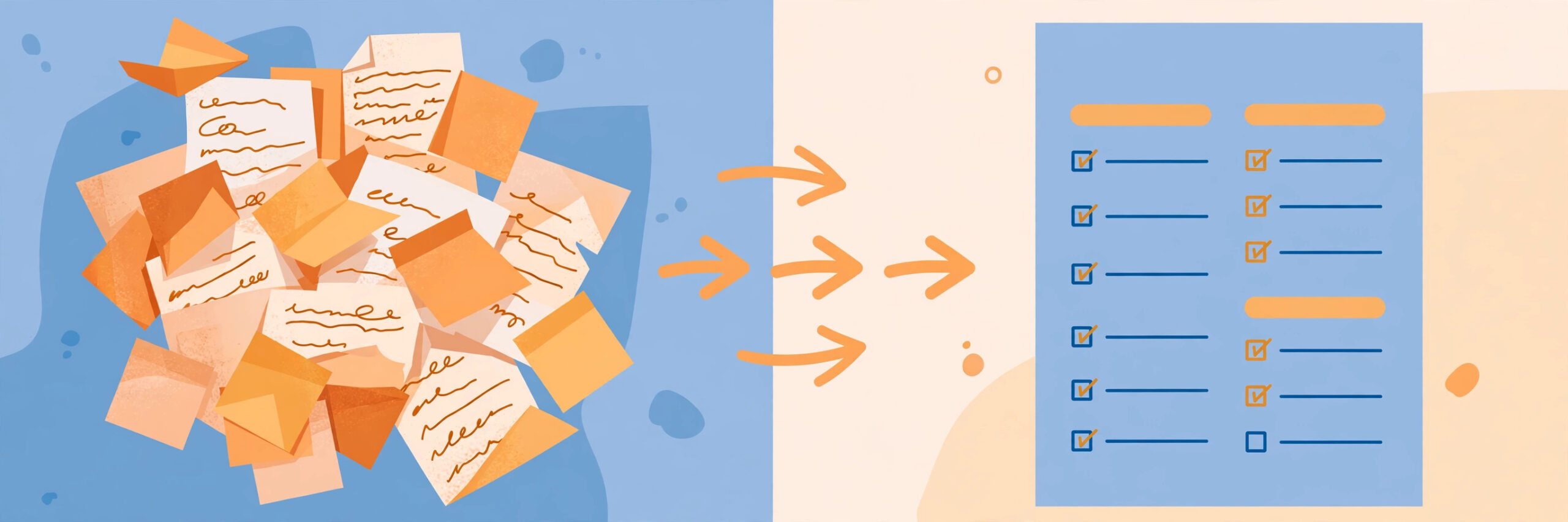
Turn these meeting notes into a one-page brief: Decisions made; Action items, each with its owner and deadline; Open questions. Use only the notes — an action with no owner or deadline there goes under Open questions; never invent one. Notes: [PASTE]
8. Time-off handoff note — write it once, properly, and actually switch off:
Write a handoff note for my leave from [DATE] to [DATE]. Cover: each project and its status, who covers each item while I am away [NAMES], deadlines in that period, and who to contact for [URGENT ISSUE TYPE]. Use clear headings so it scans in two minutes. My notes: [PASTE]
9. Interview question set — questions that test the real job, not the rehearsed ones:
Create an interview question set for a [JOB TITLE] role. Include 5 questions that test the real skills in the job description below, 3 situational questions based on problems this role actually faces, and for each question one line on what a strong answer includes. Job description: [PASTE]
10. Slide outline from a document — turns the report nobody reads into a presentation people can sit through:
Turn this document into a slide outline for a [15]-minute presentation to [AUDIENCE]. One idea per slide: a short title plus 3 bullet points. Suggest where a chart would help. End with one slide: the decisions or actions we are asking for. Document: [PASTE]
Reports & Documents
11. Weekly status report — the Friday-afternoon chore, done in one paste:
Write my weekly status report for my manager from these notes. Sections: Done this week, In progress, Blocked (with what I need to unblock each item), and Next week. Professional tone, no exaggeration, under [300] words. If anything is unclear, ask me instead of smoothing it over. Notes: [PASTE NOTES]
12. Decision memo — turns a hallway decision into something a team can act on:
Write a one-page decision memo about [DECISION]. Compare [OPTION A], [OPTION B] and [OPTION C] in a table: cost, time, risks, who is affected. End with a recommendation and the strongest reason for it. Use only the facts below — mark anything unknown as “to confirm”. Facts: [PASTE]
13. Spreadsheet cleanup instructions — the exact steps in the right order, no formula-fighting:
My spreadsheet has these problems: [e.g. dates in mixed formats, duplicate rows, names in different cases]. Give me ordered, step-by-step cleanup instructions for [Excel / Google Sheets], with the exact formula or menu step for each fix. Warn me before any step that deletes data. Columns: [PASTE HEADER ROW]
14. Contract clause checker — a first pass: what to question, what needs a lawyer:
I am about to sign this agreement. List: any clause about [auto-renewal / cancellation fees / liability / data use], anything unusual for this kind of contract, and 5 questions to ask before signing. Quote the exact wording of anything you flag. You are not my lawyer — say which points need a real one. Contract: [PASTE]
15. Job description writer — honest ads attract people who can do the job:
Write a job description for a [JOB TITLE] at [TYPE OF COMPANY]. Real duties: [LIST 4–6 DUTIES]. Must-have skills: [LIST]. Salary range: [RANGE]. Keep it honest and specific — no “rockstar”, no “fast-paced environment”. Add a short “a week in this job” section.
Planning & Decisions
16. Compare three options — the comparison table your brain can’t hold:
Compare [OPTION A], [OPTION B] and [OPTION C] for [GOAL] in a table: price, time and effort, pros, cons, and what could go wrong with each. My priorities, in order: [PRIORITY 1], [PRIORITY 2], [PRIORITY 3]. Finish with one line per option: “If you value X most, choose…” Facts: [PASTE]
17. Devil’s-advocate review — ask for this before you present the plan, not after it fails:
Here is my plan: [PASTE]. Act as a tough but fair critic: the 5 most likely ways it fails, the one assumption I depend on most, and what evidence would change my mind. Then suggest the smallest change that fixes the biggest weakness. Do not soften it.

18. Budget sorter — paste a month of spending (remove account numbers first):
Here is last month’s spending: [PASTE]. Sort every item into Needs, Wants, or Savings and Debt. Show each group’s total and its percentage of my income ([MONTHLY INCOME]) — show your arithmetic so I can check it. Then flag the 3 biggest Wants I could cut with the least pain.
19. Bill checker — for the invoice that looks wrong but would take an hour to audit:
Check this bill against what I agreed: [AGREED PRICE, PLAN AND DATES]. List anything that doesn’t match, is charged twice, or that you don’t recognise — quote the line and amount for each. Then draft a short message I can send to query it. Bill: [PASTE OR ATTACH]
20. Travel day-plan builder — a realistic plan grouped by neighbourhood, not a fantasy list of thirty sights:
Build a day-by-day plan for [CITY] from [DATE] to [DATE]. Travelling with [WHO]; pace [relaxed / packed]; activity budget [AMOUNT]; must include [MUST-SEE LIST]. Group nearby places on the same day, keep it realistic, and note which places need booking in advance. If you are unsure somewhere is still open, say so.
Learning & Research
21. Self-quiz generator — the difference between reading about a topic and learning it:
Quiz me on [TOPIC]. Ask one question at a time and wait for my answer. Start easy, get harder. After each answer, tell me if I was right and fix mistakes in a sentence or two. Quiz me only from this material, if provided: [PASTE]
22. “Explain it back” check — you explain, the AI grades:
I will explain [TOPIC] in my own words below. Check it: what I got right, what I got wrong or muddled, and the one important idea I am missing. Then give me a corrected version in plain language. Explanation: [PASTE]
23. Doctor-visit question list — preparation only, never a diagnosis:
I have a doctor’s appointment about [ISSUE]. From these symptoms and notes — [PASTE] — prepare: a one-paragraph summary I can read out, a list of questions worth asking, and a checklist of what to write down during the visit. Do not diagnose me — this is preparation only.
24. Long document into actions — the 40-page report, reduced to what changes on Monday:
Summarise this document into: 5 key points, one line each; anything that affects [MY TEAM / MY BUDGET / MY DEADLINE]; and a list of actions — who should do what, taken only from what the document says. If it assigns an action to nobody, write “unassigned” rather than guessing. Document: [PASTE OR ATTACH]
25. Rewrite for a different reader — one text, three audiences, facts unchanged:
Rewrite this text three ways: for my boss (formal, facts first, half the length), for a customer (friendly, no jargon), and for a 12-year-old (simple words, one short example). Keep the facts identical in all three — only the style changes. Text: [PASTE]
Five Habits That Make Any Prompt Work Better
- Give real material, not descriptions of it. “Summarise this report” with the report attached beats paragraphs explaining it.
- One job per prompt. A prompt asking for a summary, a rewrite and three ideas does all three badly. Chain small prompts.
- Always keep the safety line. “Ask me first if something is missing; never invent names, numbers or dates” prevents the worst AI habit — confident invention.
- Iterate out loud. “Shorter.” “Three options.” “Check your own answer for mistakes.” Follow-ups turn average output good.
- Verify before you send. Check names, figures and dates against your source — never paste passwords or customers’ personal details into a chatbot.
Conclusion
None of these prompts needs a paid plan or technical skill — they work in the chat window you already have open. The shift that matters: stop asking AI to write from nothing. Hand it your real work — notes, inbox, documents — and describe exactly what you want back. Save the prompts you reuse in a notebook, adjust the brackets to your world, and the list quickly becomes yours.